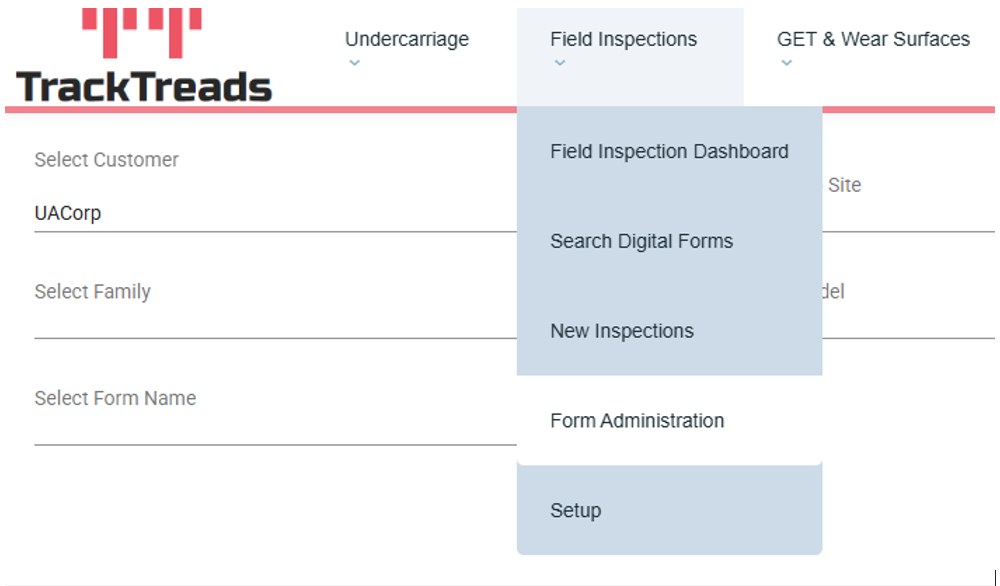
1) Navigate to ‘Field Inspections’ and then select ‘Form Administration’ from the drop-down menu
2) You will be redirected to the admin search screen. Once there use the search criteria to find your form
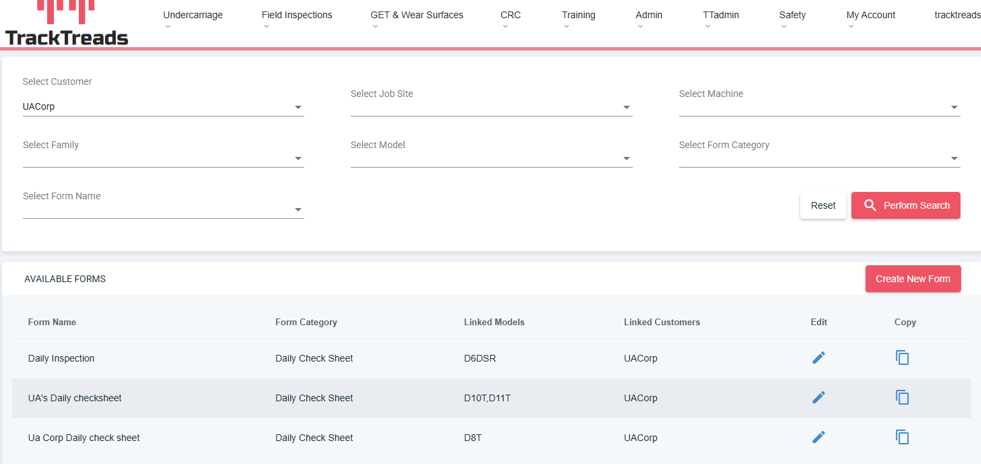
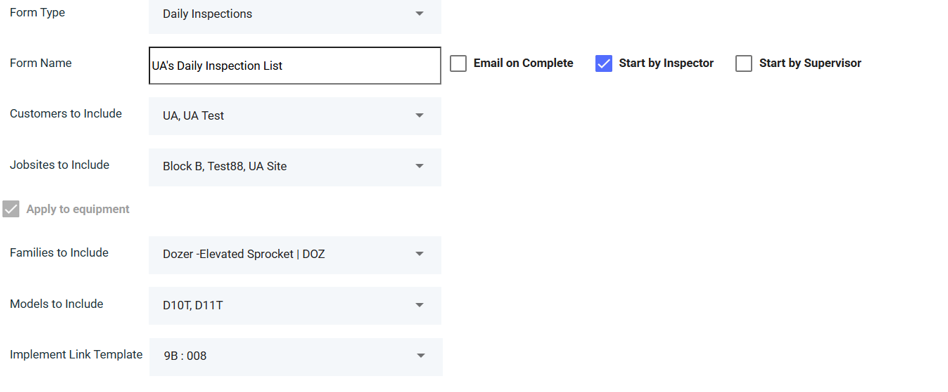
3) Once you find your form click on the pen icon, you will be redirected to the edit form page where you can edit the form as much as you require