
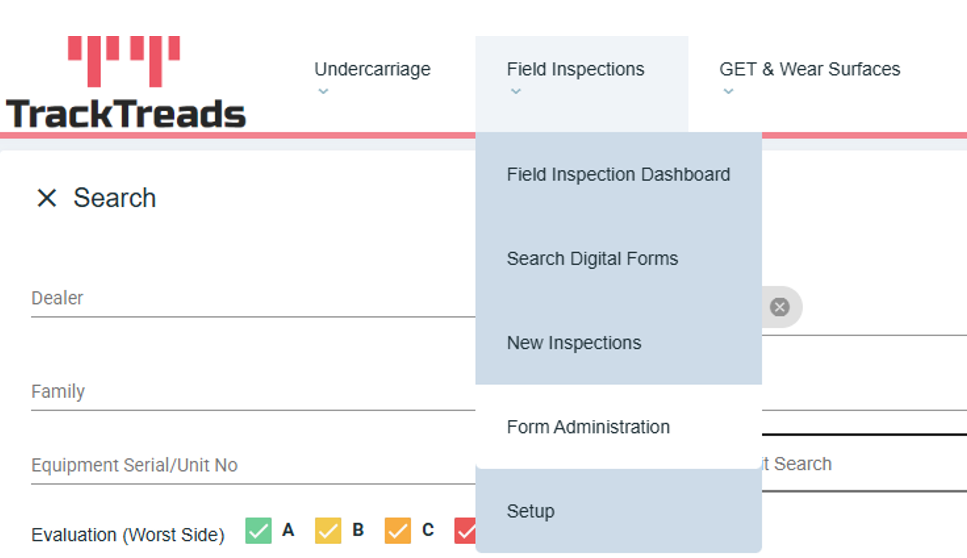
1) Navigate to Field Inspections then click on Form Administration
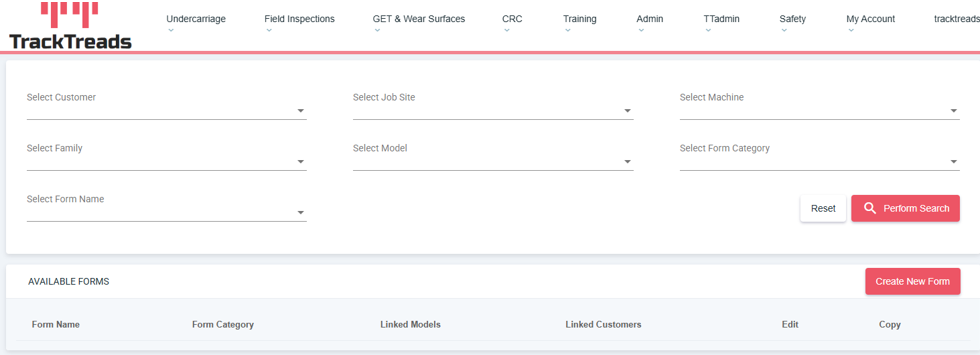
2) You will be directed to the admin search screen where you will see a ‘Create New Form’ button
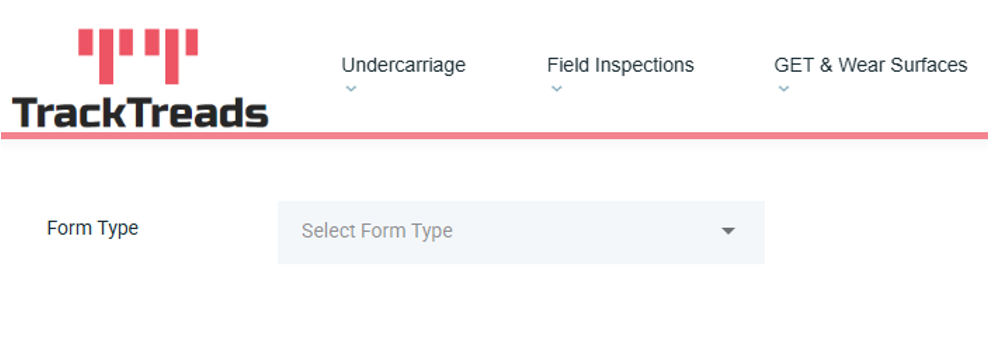
3) Once you click on the ‘Create New Form’ button you will be redirected to the Setup Digital Forms screen
Next select your desired Form Type
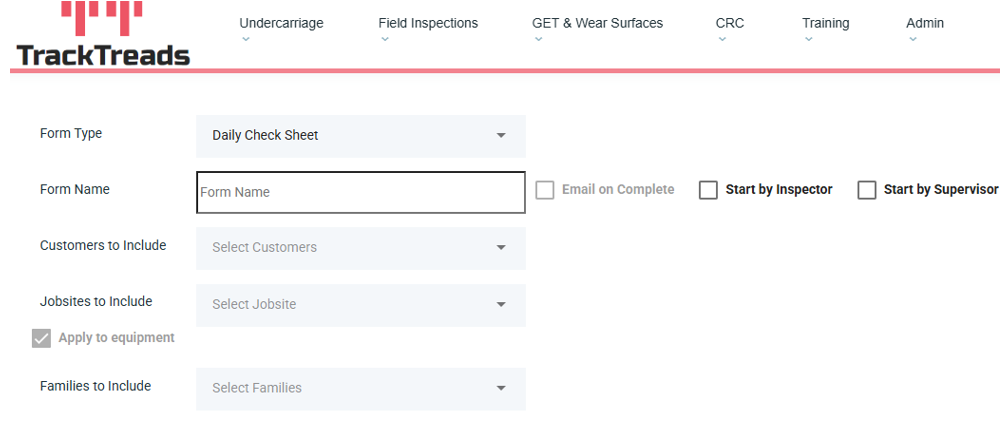
4) Next enter the Form Name, the customers and Jobsites to include in the form and select the family to include in the form
You will also be able to select ‘Start by Inspector’ which does not require a supervisor to start the form and ‘ Start by Supervisor’ Which will require a supervisor to start this form before any inspectors work on it
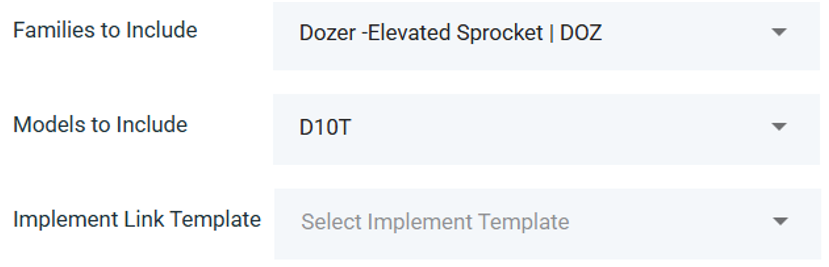
5) Once you have selected the family you would like to include you will then be able to select the models to include in the form. You will also be able to include a Implement Link template to the form (optional)
6) After you have completed that you will then be able to create and edit Categories, Sections and Questions
When Editing a Category and Section just click on the pen icon to change the Category and Section name
When creating a new category and Section click on the ‘+ Section’ or the ‘+ Category button’
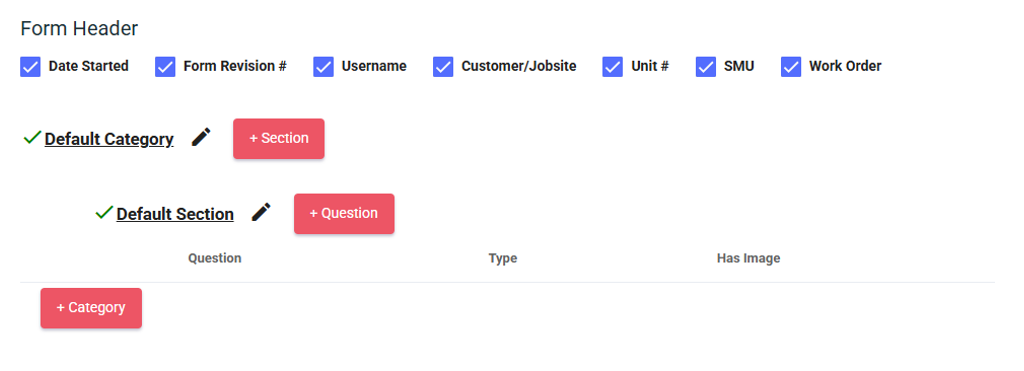
7) When creating a new question click on the ’+ Question button’
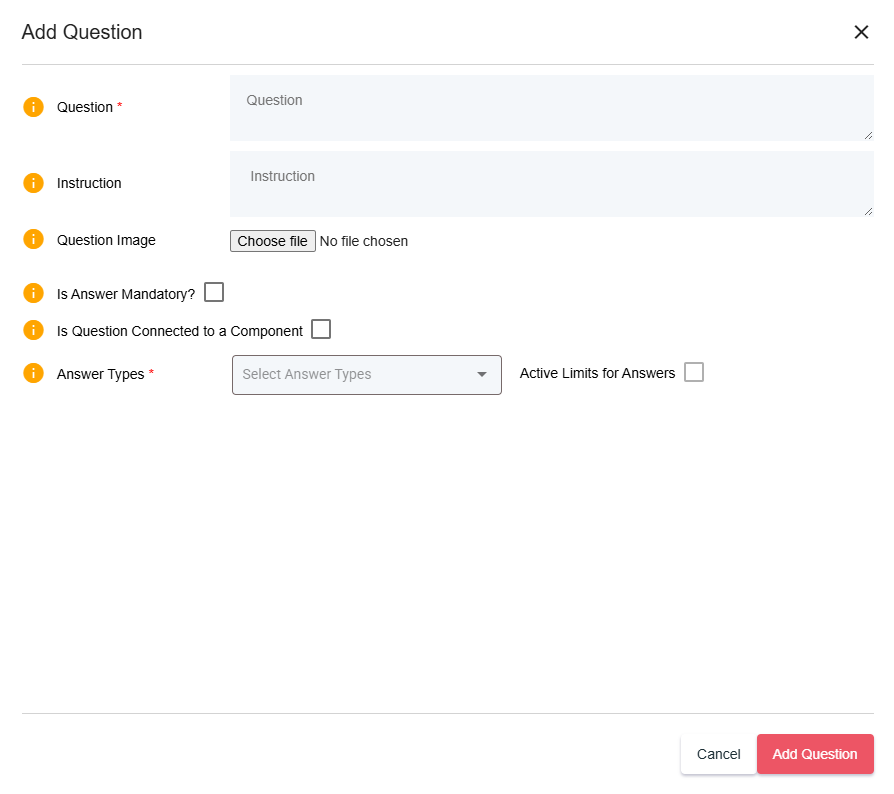
Then a popup window will appear
Add a name for the new question and any additional information you require, then next select if the answer should be mandatory
Finally click on the type of answer the question should have
For numerical answers add the worn limits, decimal places. Select the unit type and select the unit.
Finally click on ‘Add Question’
All changes made to the form is automatically saved so once you have completed the form you are able find it and start the form